See the income behind your holdings.
Bring dividend-paying positions into one place. Check the calendar, review received payouts, and separate what has been paid from what you are projecting.
90-day Pro trial. No credit card required. Free plan available.
Is this the right fit for you?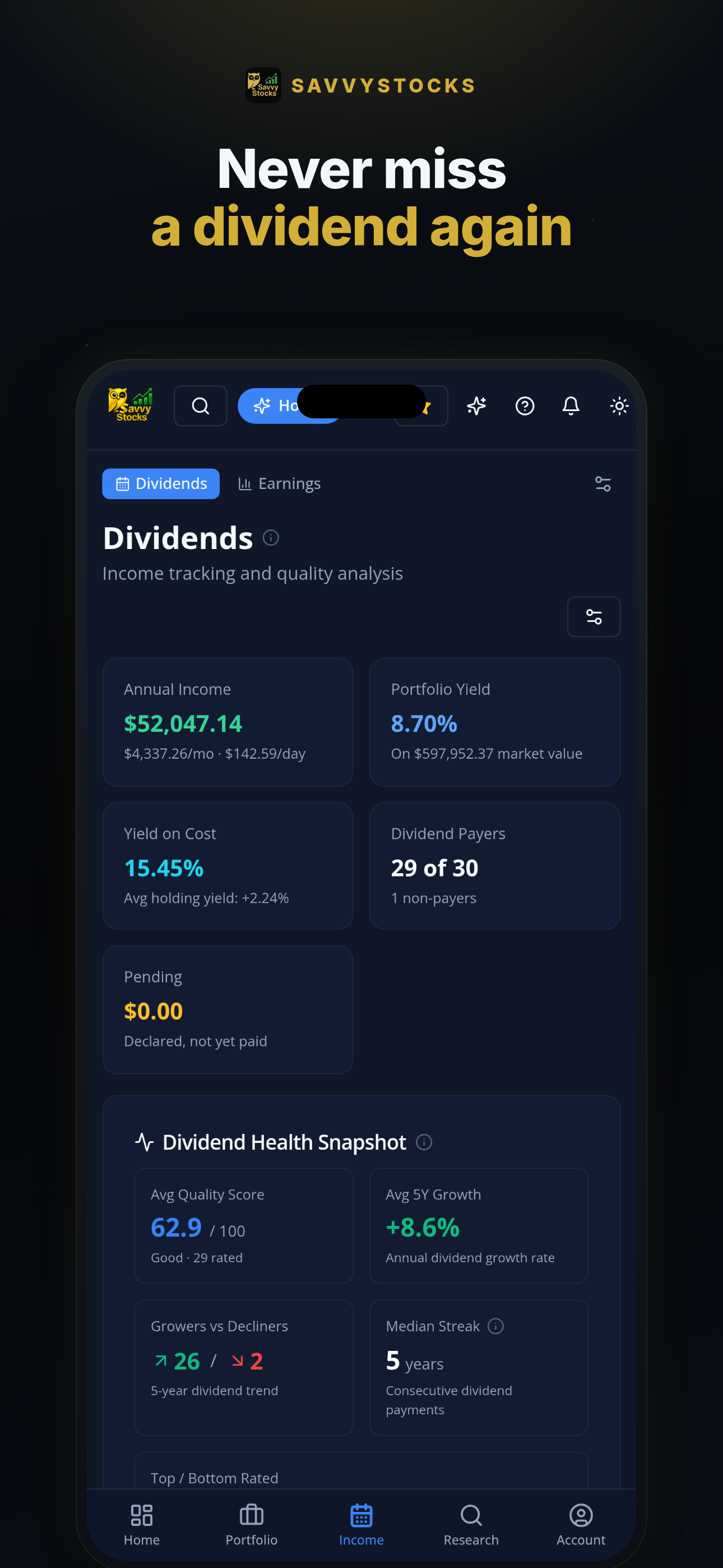
App screenshot; displayed values are illustrative.
A good fit if
You want to review dividend income across holdings without maintaining a separate calendar and yield spreadsheet.
Not designed for
You need a guaranteed income forecast, a broker statement replacement, or a tool that executes dividend reinvestment.
The workflow
From a list of positions to an income review.
Start with accurate holdings. Then use dates, payouts and yield together rather than treating a headline yield as the whole picture.
Bring in your dividend holdings
Add positions manually or import a CSV or Excel file. Supported brokerage connections and scheduled sync through SnapTrade or Plaid are available on Free within plan limits; on-demand sync is Pro.
Review dates and received income
Use the dividend calendar to review upcoming dates, then track received payouts separately. Reconcile payment amounts and share counts with your brokerage records.
Explore assumptions with Pro
Dividend quality scores are included on Free. Pro adds Dividend Horizon projections and the DRIP calculator to compare assumption-based reinvestment scenarios with cash distributions.
Which income question are you trying to answer?
Tracking, forecasting and modeling serve different decisions. SavvyStocks keeps those jobs distinct.
| Your question | Where to look | What to keep in mind |
|---|---|---|
| What dividend dates are coming up? | Dividend calendar · Free | A scheduled date is not proof that cash has reached your account. |
| What income have I received? | Received payouts · Free | Match the record to your broker, including any adjustments. |
| How does income relate to value or cost? | Dividend yield and yield on cost · Free | Cost-basis accuracy matters. Neither metric describes total return. |
| What might future income look like? | Dividend Horizon · Pro; dividend quality scores · Free | Projections depend on assumptions; a quality score is not a promise. |
| What if I reinvest distributions? | DRIP calculator · Pro | Compare scenarios. The calculator does not place trades or enroll you in DRIP. |
Explore the full toolkit on the features page.
A useful dividend review looks beyond yield.
Use the app to organize the evidence. Keep your own income needs and risk tolerance in the decision.
Check timing before budgeting
Review the calendar alongside received payouts. Ex-dividend and payment dates mean different things, and future distributions can be changed, reduced or suspended.
Check the inputs before projecting
Confirm quantities and cost basis before comparing yield on cost or modeling reinvestment. An outdated holding can make a plausible forecast misleading.
Check the trade-off before chasing income
Consider allocation and total return alongside income. A higher yield alone does not establish that a holding is suitable or that its dividend is sustainable.
Start small. Add tools when you need them.
View current pricingCore tracking, on your terms
One portfolio and up to 12 active non-cash holdings, with the dividend calendar, quality scores, received payout tracking, dividend yield and yield on cost. Imports, exports, supported brokerage connections and scheduled sync are included.
More room. More context.
Unlimited portfolios and holdings, Dividend Horizon and the DRIP calculator. Pro also adds on-demand brokerage sync and portfolio-aware AI tools.
New accounts include a 90-day Pro trial, with no credit card required. Compare plan limits and current billing options on pricing.
Projected income is not a payout.
- Dividend forecasts are assumption-based estimates, not guaranteed cash flows. Companies and funds can change their distributions.
- Dividend Quality is a research aid, not a guarantee of dividend safety or future returns.
- DRIP results are hypothetical. The calculator does not execute reinvestment; manage actual reinvestment instructions with your broker.
- Imported and connected data can be incomplete or delayed. Reconcile holdings and received payouts against broker records.
Brokerage connection and AI features are optional. Connected features involve relevant data processing by providers such as SnapTrade or Plaid; AI features involve processing by AI providers. Manual entry and file imports are alternatives to connecting a brokerage. Read the Privacy Policy.
Before you get started
Can I track dividends without connecting a brokerage?
Yes. Add holdings manually or import CSV/Excel files. These are alternatives to optional supported brokerage connections, available on Free within plan limits. Keep holdings current and compare payout records with your broker.
Are the dividend calendar and Dividend Horizon the same feature?
No. Free includes the dividend calendar, received payout tracking and dividend quality scores. Pro adds Dividend Horizon for assumption-based compounding projections.
Does a projection tell me what I will actually receive?
No. It estimates income under assumptions about holdings and distributions. Dividends can change, and eligibility and actual cash received must be checked against issuer information and brokerage records.
Will SavvyStocks reinvest my dividends?
The Pro DRIP calculator models reinvestment versus cash distributions. It does not execute trades or change your broker's reinvestment settings.
Go deeper, at your pace.
The product organizes the review. Our education library explains the concepts behind it.
Browse all educationStart with the holdings you already own.
Review your dividend calendar and income, then decide whether Pro projections and modeling fit your routine.
Start your free Pro trial90 days of Pro. No credit card required.
SavvyStocks is an investment tracking and research tool, not financial, investment or tax advice. Verify information independently and consult a qualified professional for advice about your circumstances.