Different accounts. One portfolio perspective.
Understand what you own across accounts without moving your investments. Bring holdings into SavvyStocks, organize them by account, and review the allocation that separate brokerage screens can obscure.
90-day Pro trial. No credit card required. Free plan available.
Is this the right fit for you?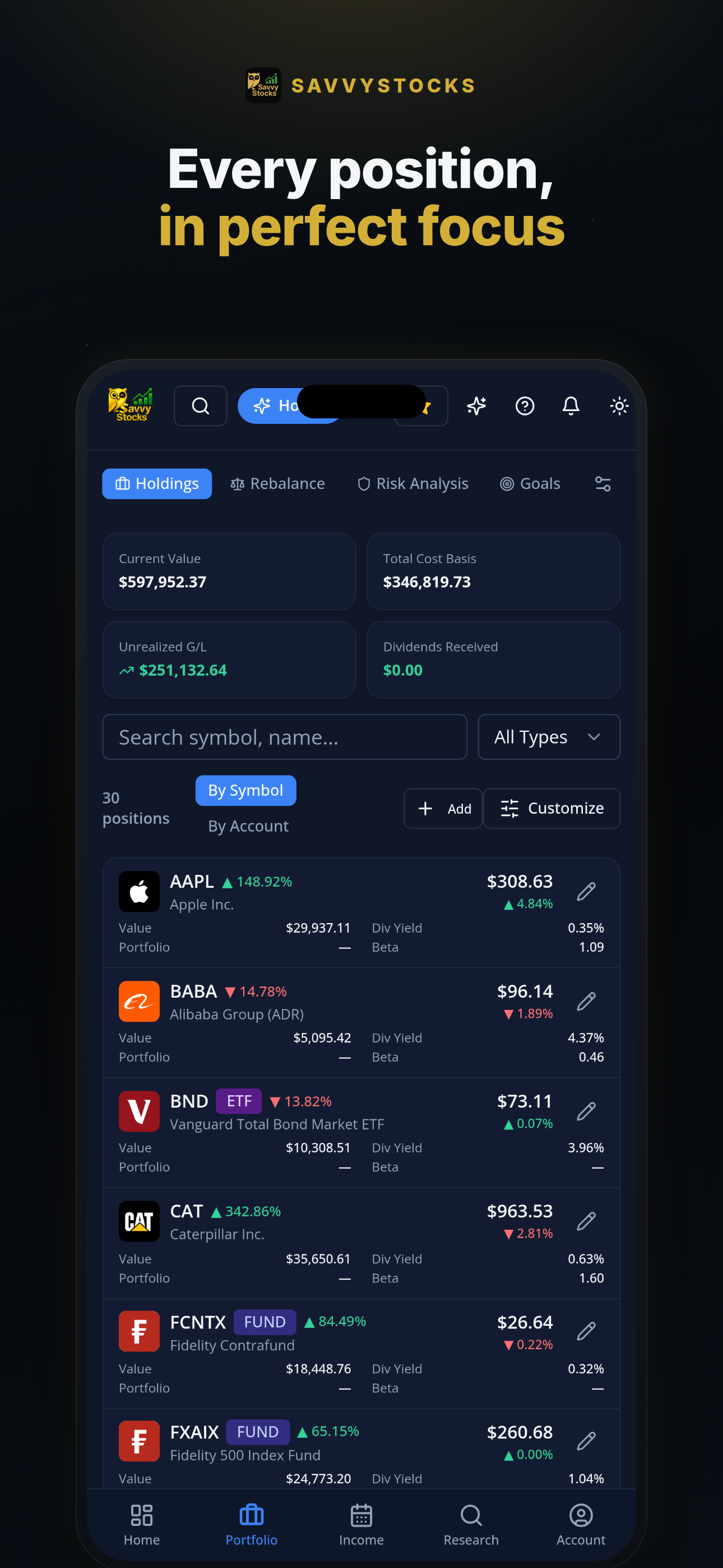
App screenshot; displayed values are illustrative.
A good fit if
Your investments sit in more than one account and you want a consolidated view of holdings, income and allocation.
Not designed for
You need a universal brokerage connector, instant transaction updates, or a replacement for official account and tax records.
The workflow
Consolidate the view, not the accounts.
Your investments stay with your brokers. Choose how to bring their records into a tracking workspace.
Choose a data path for each account
Enter holdings manually, import a CSV/Excel file, or use supported connections and scheduled sync through SnapTrade or Plaid on Free within plan limits. Pro adds on-demand sync. Check provider support for your brokerage and account type.
Organize and reconcile
Use account classifications such as Taxable, IRA or 401(k). Review quantities, cost basis and account labels, and check for duplicate positions or transactions when combining imports with connected data.
Review the bigger allocation
Look at holdings, sector and asset-type allocation rather than one account balance at a time. Pro adds unlimited portfolio labels and holdings, plus rebalancing and risk-analysis tools.
Choose the maintenance you want to take on.
Connecting a brokerage is not a requirement. The right route depends on coverage, data access preferences and how often your holdings change.
| Data route | Best fit | Your responsibility |
|---|---|---|
| Manual entry · Free | A smaller portfolio or positions you prefer to maintain yourself. | Update holdings after trades and reconcile quantities and cost basis. |
| CSV/Excel import · Free | A file-based workflow without a brokerage connection. | Review imported fields and avoid duplicates when importing updated records. |
| Scheduled sync · Free within plan limits | Supported accounts where you prefer automated updates. | Check connection status, allow for delays and reconcile against broker records. |
| On-demand sync · Pro | Requesting a refresh outside the schedule where supported. | Provider availability and delays still apply; an immediate update is not guaranteed. |
| CSV export · Free | Keeping a portable copy of holdings and transactions. | Retain official broker statements separately; exports do not replace them. |
Explore the full toolkit on the features page.
What becomes easier to see together?
A consolidated tracker helps you ask better questions across accounts. It does not change the legal or tax treatment of those accounts.
Position concentration
A company held in several accounts may represent more of your investments than any one brokerage screen suggests. Review position weights alongside the individual holdings.
Sector and asset allocation
Compare exposure across holdings, sectors and asset types. Use that view to investigate drift from your intended mix, not as an automatic instruction to trade.
Income across accounts
Review dividend dates and received income alongside your holdings. Keep taxable and retirement-account records distinct when verifying payouts and tax information.
Start small. Add tools when you need them.
View current pricingCore tracking, on your terms
One portfolio and up to 12 active non-cash holdings. Manual tracking, imports, exports, supported brokerage connections, scheduled sync, allocation views and core dividend tracking are included.
More room. More context.
Unlimited portfolios and holdings, plus on-demand brokerage sync where supported. Pro also includes portfolio rebalancing, risk analysis and portfolio-aware AI tools.
New accounts include a 90-day Pro trial, with no credit card required. Compare plan limits and current billing options on pricing.
A connected portfolio still needs a review.
- Brokerage and account coverage depend on the connection provider. Not every institution, account type or data field is supported.
- Sync follows a configurable schedule, not a promise of real-time brokerage updates. Provider availability, broker delays or interrupted connections can affect freshness.
- Imports and sync may contain incomplete or delayed records. Reconcile quantities, transactions, cost basis and payouts with the brokerage's records.
- Consolidation is for tracking and research. Official broker statements and tax documents remain your reference records.
When you choose a brokerage connection, providers such as SnapTrade or Plaid process relevant account data to support that connection. You can instead maintain holdings manually or use file imports. AI analysis is optional and involves relevant data processing by AI providers. Read the Privacy Policy.
Before you get started
Do I have to move my investments?
No. SavvyStocks is a portfolio tracking and research tool. Bringing holdings into the app does not transfer your investments between brokerages.
Will my brokerage work with SavvyStocks?
Support depends on SnapTrade or Plaid, the institution and the account type. Confirm availability in the connection flow. If an account is unsupported, use manual entry or CSV/Excel import instead.
Are connected holdings updated in real time?
Do not assume that they are. Free includes scheduled sync for supported connections; Pro adds on-demand sync. Availability and timing depend on the provider and brokerage. Check freshness and reconcile with your broker before acting.
Can I evaluate the workflow on Free?
Yes. Free includes one portfolio, up to 12 active non-cash holdings, imports, exports, supported connections and scheduled sync. Pro removes portfolio and holding caps and adds on-demand sync.
Go deeper, at your pace.
The product organizes the review. Our education library explains the concepts behind it.
Browse all educationBring your portfolio into focus.
Start with manual entry or an import. Decide whether optional scheduled connections suit the accounts you use.
Start your free Pro trial90 days of Pro. No credit card required.
SavvyStocks is an investment tracking and research tool, not financial, investment or tax advice. Verify information independently and consult a qualified professional for advice about your circumstances.